 By Systems Jake
Make images for this post



A graphic for every
idea out.
Visual Leverage is the creator graphics system for Claude. It finds the key ideas in your post and gives each one its own graphic, in your style.
“Jake is one of the top designers on X.”
 Stijn Noorman · @stijnnoorman
An image generator asks
“what should this look like?”
Visual Leverage asks “what should this say?”
| Image generator | Visual Leverage | |
|---|---|---|
| Starts from | A description | Your post or article |
| Text | Baked into pixels | Editable, word by word |
| Style | Different every time | Your trained style |
| You get | A picture | Graphics + alt text + every size |
Then the graphic.
Same idea. Your look.
Show it your past graphics, your website or a few words. It measures your colors, finds your fonts on Google Fonts and renders the same graphic three ways. Pick one or mix them, and every graphic after that matches.
- Source
- 12 past graphics
- Type
- Poppins
- Palette
- Accent
- Gold, on the answer only
not everything.
- Source
- yoursite.com
- Type
- Inter
- Palette
- Accent
- Blue, on the answer only
not everything.
- Source
- “Calm, bookish, warm”
- Type
- EB Garamond + Inter
- Palette
- Accent
- Terracotta, on the answer only
Two steps, inside Claude.
No design tool. Train your style once, then paste a post and steer in plain words. Works in Claude, Cowork and Claude Code, and on Claude Design canvases when you have them.
Train your style
Share past graphics, your website or a few words. Claude finds your fonts on Google Fonts, renders three style options, and you pick or mix.
Paste a post
Get one or two strong graphics fast, or explore every angle. Steer in plain words: “A but simpler,” “B in light mode,” “new caption for C.”
Then export. One graphic, every size.
Say “export A” and you get the same graphic sized for every platform, padded, never cropped, so nothing important gets cut off. Plus alt text and a suggested post line.
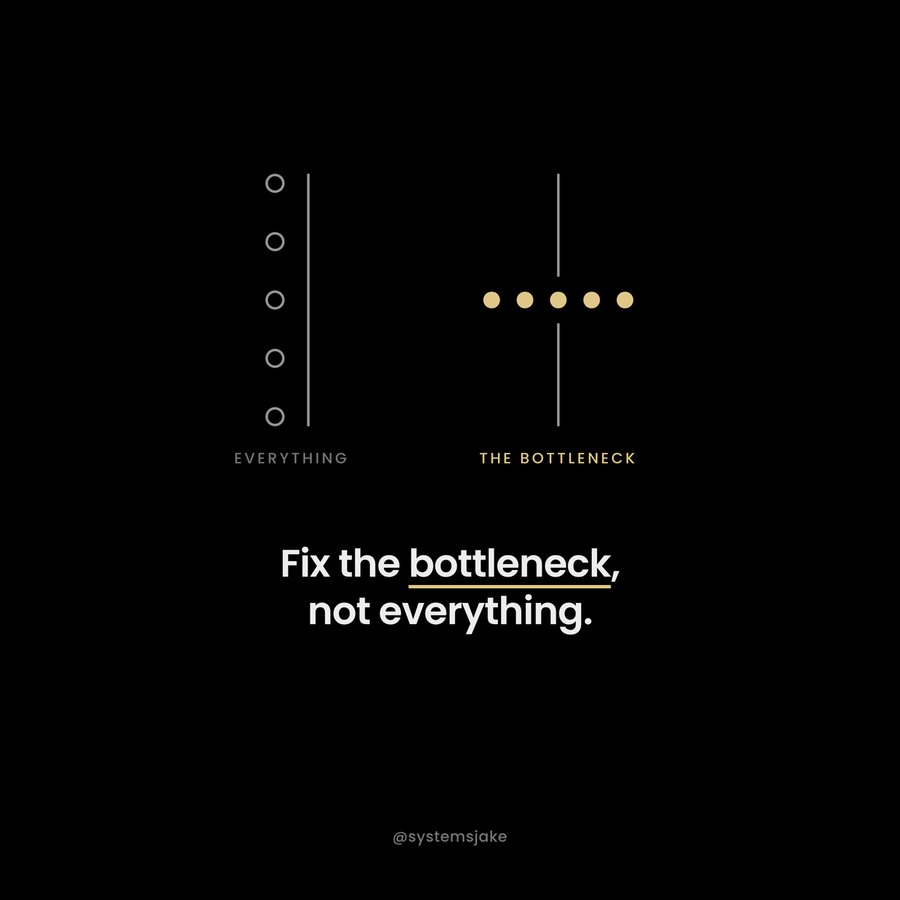
“Two columns. Left: five hollow circles along a line, labeled everything. Right: five filled dots lined up at one point, labeled the bottleneck. Caption: Fix the bottleneck, not everything.”
A suggested line to post with it, and a retina master for anywhere else. Saved together in one folder.
Trained on 20+ years of specialized design experience, not the whole internet.
An image generator learns from everything. Visual Leverage learns from one method: mine, refined over 20+ years of designing products, systems and graphics, then packaged so Claude follows it on every post.
Graphic, marketing, product and systems design, including leading product design at MetaMask.
Real graphics with teardowns of why they work, in light and dark.
Comparison, loop, fork and more, tested on real posts.
Hierarchy, grouping, rhythm, simplicity and brand, run on every graphic.
“The visual representation of my brand also got wayyy Better. From the graphics I use on my long form value tweets, marketing material, to my digital course which was also inspired by it.”
 Zackry · @ZackryOusa
“Jake is one of the top designers on X. His design skills can help you to elevate your brand quality and he’s a cool guy to work with.”
Stijn Noorman · @stijnnoorman“Your course walked through everything I need step by step (very clearly).”
 Benjamin Chan · @ItsMeBenChan
“Jake is a great, clear, and concise teacher.”
 Evan · @Evan_Swanson_
Do I need a paid Claude plan?+
No. Custom skills work on every Claude plan, including Free. Turn on code execution in Settings › Capabilities first. With Claude Design, graphics appear on an editable canvas; otherwise you get image files.
How do I install it?+
Download the zip from your receipt email. In Claude, open Customize › Skills, click +, choose Upload a skill, and pick the zip. Then say “Set up Visual Leverage.”
Will my graphics look like everyone else’s?+
No. Your style is trained on your own graphics, site or words, and each post runs through 13 visual frameworks, so every set is built around your ideas and your look.
Do I have to be a designer?+
No. The method does the design thinking. You give feedback in plain words and pick the ones you like.
Can I use the graphics for clients?+
No. Your license covers graphics for your own brand and content. To make graphics for clients, you need a client-use license. Email jake [at] systemsjake [dot] com and I’ll set you up.
How do updates work?+
When a new version ships, you get an email. Download it from your order page and upload it in place of the old one. Your styles stay in your folder.
Every idea.
A graphic for each.
Buy once, upload it to Claude, and make your first graphic in about five minutes.
Get Visual Leverage →